 Paidrelay
Notion payment failed: why your card is declined and what to try
You choose a Notion plan, often Business because that is where Notion AI lives, enter a card that works elsewhere, and the payment fails. Or a renewal fails and Notion starts emailing you about an unpaid invoice. Notion processes payments through Stripe, so the message on screen is usually short and generic, and the real reason sits with your bank. This guide covers what Notion accepts, what happens after a failed payment, the free fixes to try first, and what to do if none of them work.
What Notion says about payments
From the Notion Help Centre (checked 10 October 2026):
- Accepted methods. The page Payment methods says: "On Notion for web, you can pay for your plan with a debit or credit card, or Apple Pay." You can also use Stripe Link with a saved card. The page Change your plan adds Google Pay to that list. Both pages say Notion uses Stripe to process payments.
- Mobile. "On an iOS device, you can pay with Apple Pay. Unfortunately, you can't make payments in the Android app at this time." A subscription bought through the Apple App Store is handled by Apple: for any issue with it, including cancellations and refunds, Notion sends you to Apple.
- Failed payments. "Your account email will be notified after each failed payment. Payments may be retried up to 8 times within the next month." After that, if the payment did not succeed, the workspace is restricted to limited access for a period and then downgraded to the Free plan.
- Downgraded already. The Billing page says Notion "will automatically downgrade a paid account after several attempts are made to collect payment", and that you can re-upgrade from Settings and settle the unpaid invoices there.
- Plans are per workspace. "Plans apply and are billed at the workspace level." Paid plans are charged per member, so a paid plan on one workspace does not cover your other workspaces.
- Prepaid cards. We found no statement about prepaid cards on Notion's help pages, either allowing or refusing them.
On Stripe's side, a generic decline can hide several reasons the merchant is told not to show you separately, and merchants can block prepaid cards with a rule on the card's funding type (docs.stripe.com/radar/rules/supported-attributes). So a prepaid or virtual card with money on it can still fail.
If you are paying for Notion AI
Notion's Notion AI FAQ says: "Notion AI is available on Business and Enterprise Plans." Free and Plus get a limited number of complimentary AI responses, and "Upgrading from the Free Plan to the Plus Plan doesn’t renew your available Notion AI usage." So if AI is what you want, a successful Plus payment will not give it to you; the plan to pay for is Business. Check the workspace name at the top of the upgrade screen too, because the plan applies only to that workspace.
Notion paid for you
We pay your Notion plan on your own workspace. Refund in the same coin if we can't pay (minus the network fee).
OrderWhat to try first
- Read your bank app, not the Notion screen. Most banks log the refused attempt with a reason: foreign merchant blocked, limit reached, verification failed. That tells you more than any decline message.
- Approve the bank verification. If your bank asks for a 3D Secure confirmation by app or SMS, keep it open and approve it in time. If no request arrives, ask the bank to enable 3D Secure for online payments.
- Turn on online and international payments for the card. Many banks issue cards with these off. For a USD charge, also check the card's foreign-currency limit.
- Update the payment method in Notion. Go to Settings in your sidebar, click Billing, then Edit method next to your payment method, enter the new details and click Update. For a failed renewal, this is the step that lets the next retry succeed.
- Check your billing address. Notion uses your address to decide which tax applies (notion.com/help/sales-tax). An address that does not match your card can add to a bank's doubts, and the tax changes the amount your bank sees.
- Try another method on the web checkout. A different debit or credit card, Apple Pay, Google Pay or a card saved in Stripe Link. A regular bank card is a safer bet than a prepaid one.
- On a phone, use the right store. On iPhone you pay through Apple, so a decline there is about the payment method in your Apple account. The Android app takes no payments at all; upgrade on the web instead.
- If the workspace was downgraded, re-upgrade from the Upgrade tab in Settings and settle the unpaid invoices there. Notion lists which features change after a downgrade at notion.com/help/plan-downgrade.
- Don't retry ten times. Repeated attempts in a row can trigger fraud blocks at the bank. Try once after each fix, and contact Notion support if a fix that should work still fails.
The same Stripe causes apply to other tools; see "Your card does not support this type of purchase", ElevenLabs payment declined and Cursor payment failed.
When nothing works: we pay it for you
Paidrelay pays subscriptions on your own account, and you pay us in crypto. Notion is not in our fixed catalog, so you order it as Other service:
- You type the plan price from Notion's order summary into the order form. Your total is the plan price plus our 5% fee, shown as one number before you pay.
- You send us the payment link from the Notion checkout. We pay it with our card, and the plan is applied to your own Notion workspace.
- If there is no link to share, sign-in is the last resort: you stay online with us, send the verification code yourself, and change your password afterwards. Sharing a login breaks most services' terms, and the account could be restricted. You decide whether to accept that.
We pay the plan you order, nothing more. Personal plans only: we pay Plus or Business for a workspace where you are the only member. Team seats and API credits are not sold, and since Notion charges per member, adding members later changes the bill. Our card stays on the subscription for renewals until you change it in Settings, Billing.
Delivery is usually within 2 hours of payment confirmation, 09:00–21:00 UTC, and at most 24 hours. If we can't complete the payment for your plan, we refund the full amount you paid, in the same coin, minus only the network fee of the refund transfer. We do not serve Russia, Belarus, mainland China, Hong Kong, Macau, Iran, North Korea, Cuba, Syria or Venezuela. Coins and networks are on paying in crypto.
Order a Notion plan · How it works · FAQ
What paying looks like
Screens from our checkout: an example ChatGPT Plus order paid in USDT. The address is blurred here; yours appears in your invoice.
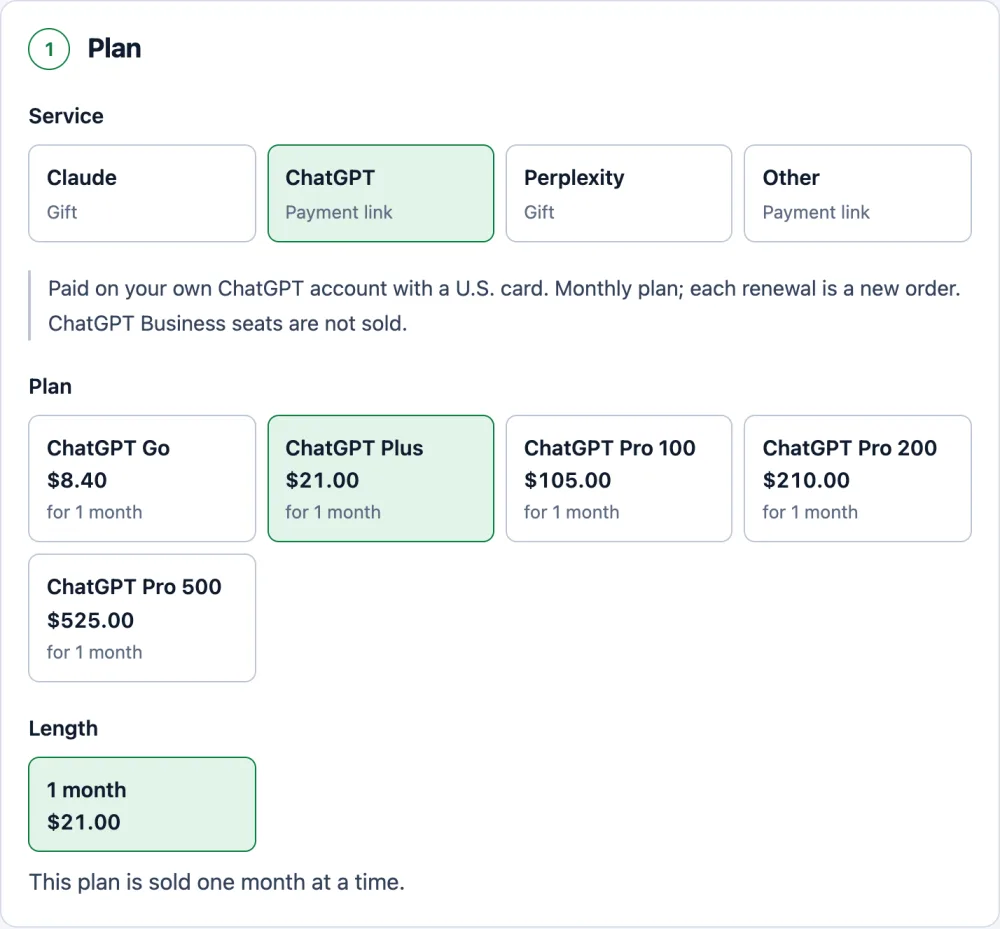
Pick the plan. The price already includes our 5% fee. 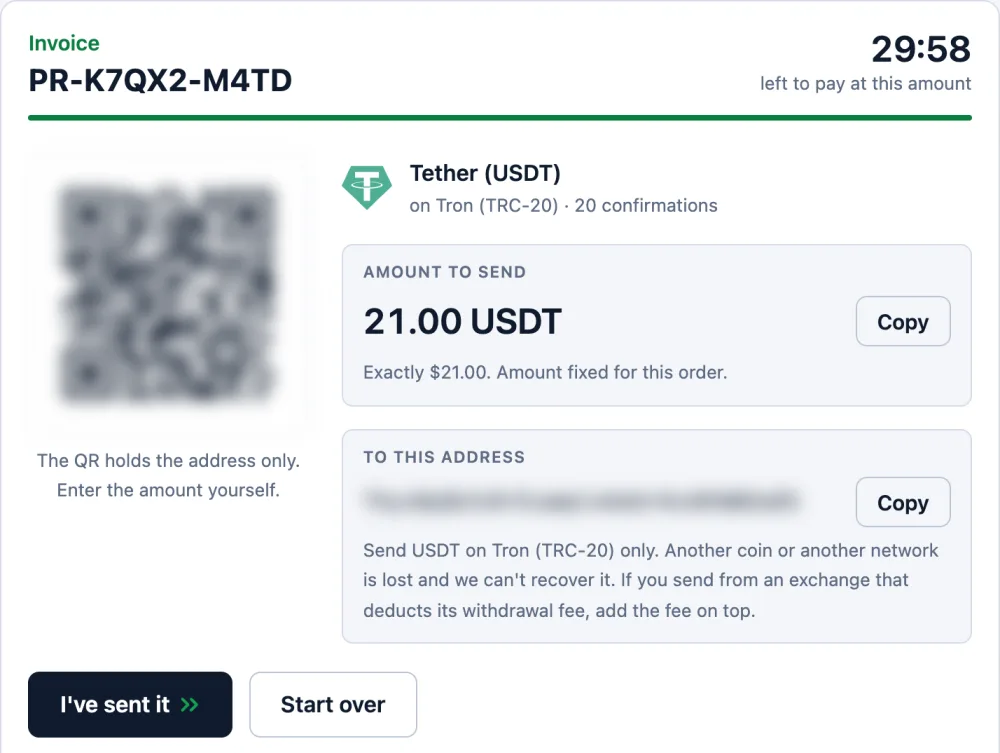
One exact amount and one address, held for 30 minutes. 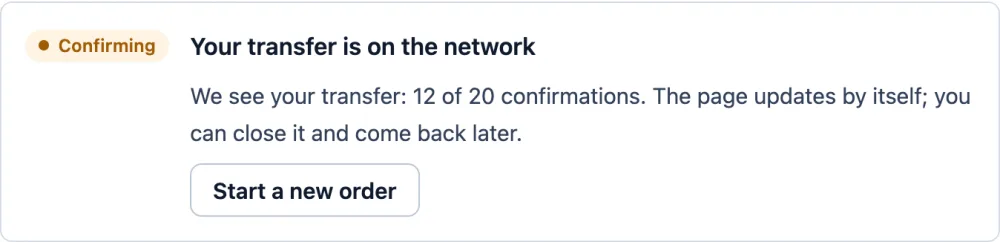
Once you send, the page shows your transfer and counts the confirmations. 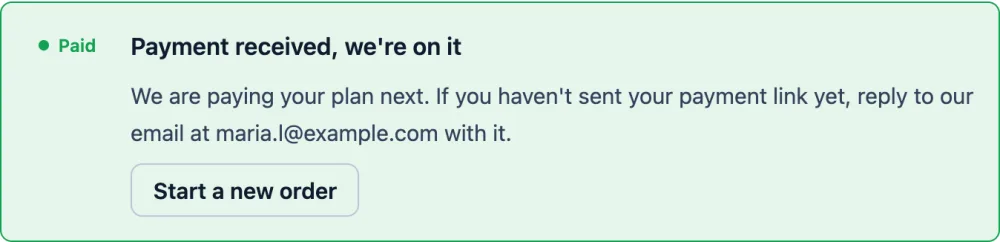
Confirmed: the order is paid and we pay your plan. We email you at this step.
Notion paid for you
We pay your Notion plan on your own workspace. Refund in the same coin if we can't pay (minus the network fee).
OrderQuestions
What happens to my Notion workspace if a payment fails?
Notion emails the account after each failed payment and may retry the charge up to 8 times within the next month. If none of the retries succeed, the workspace is restricted to limited access for a while and then downgraded to the Free plan. You can re-upgrade from Settings and settle the unpaid invoices there.
Does Notion accept prepaid cards?
Notion's help centre lists debit and credit cards, Apple Pay, Google Pay and Stripe Link, and says nothing about prepaid cards either way. Payments go through Stripe, where a merchant can block prepaid cards with a rule, so a prepaid card can fail even with money on it. Try it once, and switch to a regular bank card if it fails.
Which Notion plan do I need for Notion AI?
Notion says Notion AI is available on the Business and Enterprise plans. On Free and Plus you only get a limited number of complimentary AI responses, and upgrading from Free to Plus does not renew that allowance. If AI is the reason you are paying, choose Business at checkout.
How does Paidrelay pay for Notion?
Notion is an other-service order. You send us the payment link from the Notion checkout and we pay it with our card, so the plan lands on your own workspace. Sign-in is a last resort, done while you are online, and you change the password afterwards. We pay personal plans for a workspace where you are the only member, not team seats. Our card stays on the subscription for renewals until you change it.
What happens if you can't pay my Notion plan?
If we can't complete the payment for your plan, we refund the full amount you paid, in the same coin, minus only the network fee of the refund transfer.