 Paidrelay
ChatGPT UPI “Payment was not approved”: QR code not showing, mandate failed
ChatGPT Plus paid for you
Send your checkout link; a U.S. card pays it. No password. Refund if we can't pay (minus the network fee).
OrderIn India, chatgpt.com offers UPI at checkout next to cards; OpenAI's help centre lists UPI as the local method for India. A ChatGPT plan is a recurring payment, and recurring UPI payments run on a UPI AutoPay mandate that you approve with your UPI PIN. When that step fails, ChatGPT shows only one line: “Payment was not approved”. Below: the cases people report, the free fixes in order, and what to do if none of them work.
How a UPI payment for ChatGPT is supposed to work
ChatGPT payments on the web go through Stripe. Stripe's documentation for UPI AutoPay (docs.stripe.com/payments/upi/upi-autopay) describes the flow: the customer approves the mandate with their UPI PIN at setup, and at least 24 hours before each recurring debit they get a notification with the amount and an option to cancel. In practice, after you choose UPI and press Subscribe, a QR code or a request should appear, the request lands in your UPI app, you approve it with your PIN, and the checkout page completes.
If any part of that chain breaks, the result on chatgpt.com is the same message. The screen does not say which part failed, and OpenAI has not published a cause for the UPI failures below. We don't know the limits your bank applies to mandates, so we won't guess at numbers.
The three cases people report
- The UPI QR code never appears. A July 2026 thread on the OpenAI community forum describes it exactly: the UPI QR code never appears, and after clicking Subscribe the page says “Payment was not approved”. The user tried Edge and Chrome with a full billing address, and both Google Pay (UPI) and a debit card failed. The reply suggested a credit card, and otherwise emailing [email protected]. Other July threads report UPI being completely broken in the web browser for Indian users.
- The mandate request does not arrive or is not approved. The QR shows or you enter a UPI ID, but no request reaches your UPI app, or it arrives and the approval does not go through. ChatGPT then waits and shows the same error.
- Free offer attempts. Many of the July reports came from people claiming the free Plus trial (“Claim free offer”, ₹0 due today), where the payment method is still set up for the renewal. That case has its own guide: ChatGPT free trial “Payment was not approved”.
For card refusals with the same text, see the general guide to ChatGPT “Payment was not approved” and “Your card has been declined”.
UPI is an India-only method. OpenAI's help centre says that paying with a payment method from an unsupported country, or using ChatGPT from one, can get an account blocked. A VPN or a foreign billing address does not fix the payment and can cost you the account.
Free fixes, in this order
- Approve the request in your UPI app, with the checkout page still open. Open the UPI app on your phone as soon as you press Subscribe, find the pending request and approve it with your PIN. Do not close or reload the chatgpt.com tab while you do this; the page needs to see the approval.
- Check the AutoPay or mandates section of your UPI app. Most UPI apps list mandates separately from ordinary payments. If an earlier attempt left a pending mandate for OpenAI, decline or remove it, then start a fresh checkout. If the earlier mandate shows as active, do not create a second one before checking ChatGPT's billing page.
- Try another UPI app or another bank account. The refusal can come from the app or from the bank account behind it. A different app linked to a different bank is the simplest test.
- Turn off ad and tracker blockers for chatgpt.com, and use a clean browser profile. In a related forum thread about the same message, the browser console showed a Stripe request blocked by the client, which is what an ad or tracker blocker does. Allow chatgpt.com in the blocker, or open a new browser profile with no extensions, and retry once.
- Pay with a credit card instead. This was the first suggestion in the QR thread. In India, recurring card payments fall under RBI e-mandate rules, so expect your bank to ask you to approve a mandate for the card; approve it in the bank app or by OTP when it appears.
- Consider ChatGPT Go. Go is the cheaper plan below Plus. It launched in India in August 2025 at ₹399 a month with UPI. A smaller charge sometimes passes where a Plus charge fails.
- Open a support case. On the forum, OpenAI support asked people with this error to open a case through the Help Center or [email protected] and attach a HAR file of a failed attempt (your browser's developer tools can save one from the Network tab). Share only the case ID in public posts, never the file.
Retrying many times in a row rarely helps and can leave several pending mandates in your UPI app. One clean attempt after each fix is enough.
When nothing works: we pay the checkout link with a U.S. card
Paidrelay pays ChatGPT on your own account. You open the ChatGPT upgrade, choose the paid plan, copy the checkout link and send it to us with your order. Our person in the U.S. pays it with a U.S. card. You never give us your password.
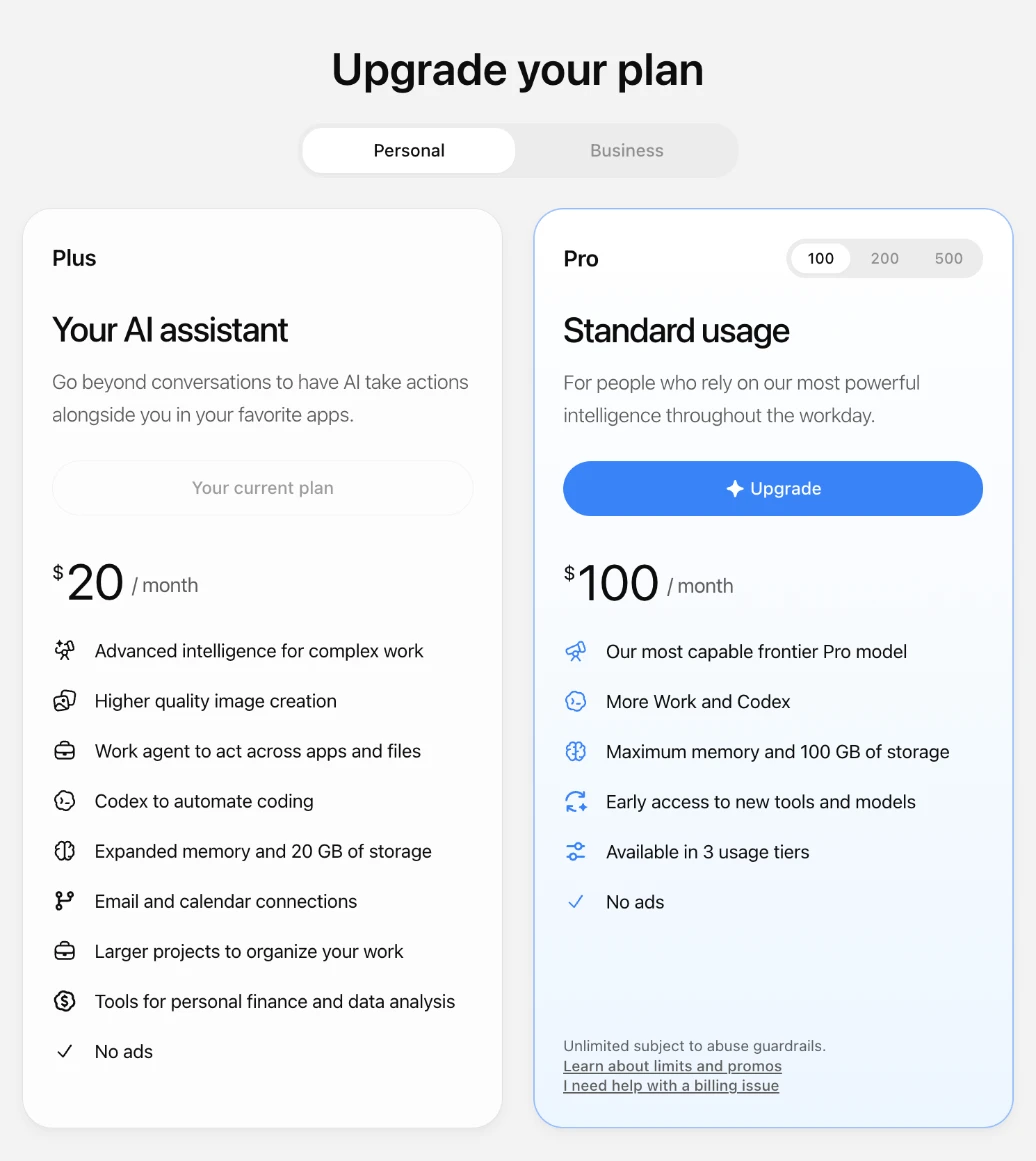
The total is the plan price plus our 5% fee, as one number: ChatGPT Plus for one month is $21.00. ChatGPT Go is available too: one month is $8.40. You pay in crypto, for example USDT; paying in crypto explains the steps, and paying ChatGPT Plus with USDT covers the whole order.
We do not pay free-trial checkouts (₹0 or $0 due today): the trial would renew onto our card. Send the paid plan's checkout link instead.
- It is monthly. Each renewal is a new order with us.
- Our card stays on your subscription until you change it in your ChatGPT billing settings.

Delivery is usually within 2 hours of payment confirmation, between 09:00 and 21:00 UTC, and at most 24 hours. If we can't complete the payment for your plan, we refund the full amount you paid, in the same coin, minus only the network fee of the refund transfer. More detail on how it works.
What paying looks like
Screens from our checkout: an example ChatGPT Plus order paid in USDT. The address is blurred here; yours appears in your invoice.
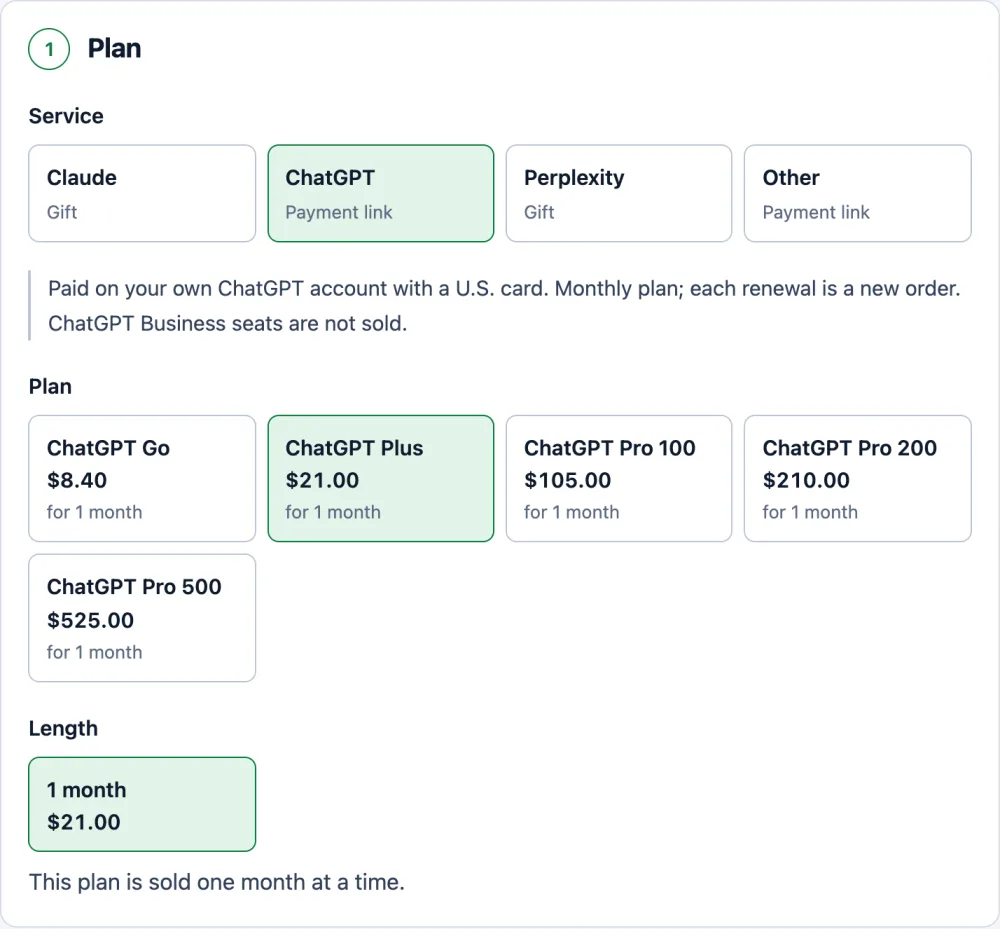
Pick the plan. The price already includes our 5% fee. 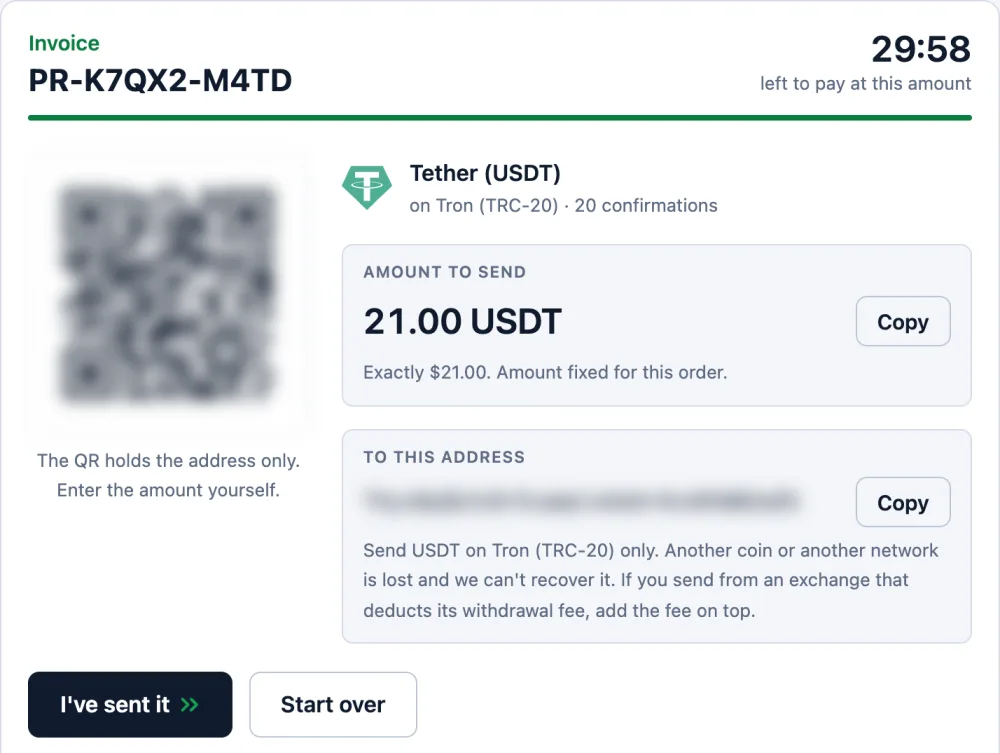
One exact amount and one address, held for 30 minutes. 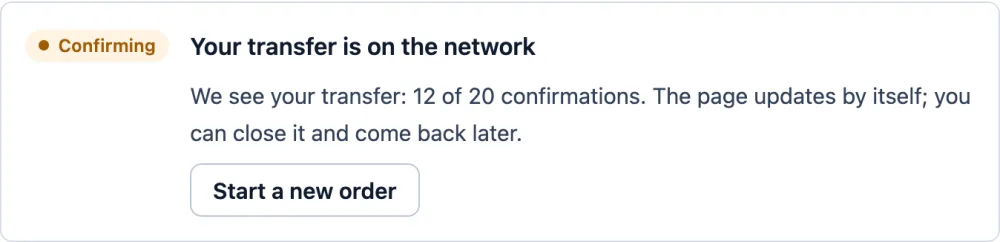
Once you send, the page shows your transfer and counts the confirmations. 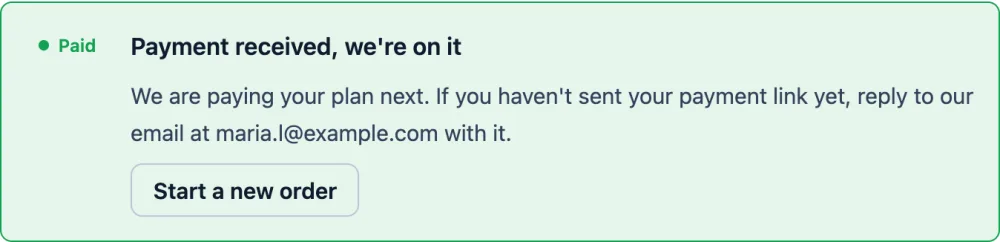
Confirmed: the order is paid and we pay your plan. We email you at this step.
ChatGPT Plus paid for you
Send your checkout link; a U.S. card pays it. No password. Refund if we can't pay (minus the network fee).
OrderQuestions
Was money debited when my ChatGPT UPI payment was not approved?
Normally not. If the mandate was never approved with your UPI PIN, there is nothing for a recurring debit to run against. Check the history and the AutoPay or mandates section of your UPI app; if you see a debit, keep the transaction reference and contact your bank and OpenAI support.
Why is the UPI QR code not showing on ChatGPT?
The cause is not public. Users on the OpenAI forum report it in Edge and Chrome with a full billing address. Try with ad and tracker blockers off for chatgpt.com, in a clean browser profile, then another UPI app or a credit card, and open a support case if it still fails.
Does a VPN fix the UPI payment error?
No. UPI is offered for India only, and OpenAI's help centre says that paying with a method from an unsupported country, or using ChatGPT from one, can get an account blocked. A VPN or a foreign address does not fix the payment and can cost you the account.
Can I pay Paidrelay in rupees or with UPI?
No. We take crypto only, for example USDT. The total is shown in U.S. dollars and already includes our 5% fee.