 Paidrelay
ChatGPT free Plus trial: “Payment was not approved” — why and what to do
ChatGPT Plus paid for you
We pay your paid Plus checkout link with a U.S. card. No password. Refund if we can’t pay (minus the network fee).
OrderChatGPT sometimes offers a free month of Plus: “Start your free Plus trial (1 Month)” or “Claim free offer”. The amount due today is $0, or ₹0 in India, but the offer still asks for payment details, because the trial is set up to renew at the normal Plus price unless you cancel. That setup is where it fails. “Payment was not approved” appears before anything is charged, while the card, wallet or UPI mandate is being checked. Below: what is known about it, the free fixes to try in order, and what to do if you want Plus now.
What is known about the free trial error
The OpenAI community forum has several threads about it from June and July 2026, and they describe the same pattern with different payment methods:
- GoPay, Visa debit cards and Apple Pay. A thread running from 17 June to 20 July 2026 (community.openai.com/t/…/1383981) starts with GoPay in Indonesia and collects reports with Visa debit cards and with Apple Pay from Greece. One user says no charge was even attempted on the three methods they tried. A separate thread from 5 June 2026 reports GoPay being blocked or declined for Plus and other plans.
- UPI in India. A thread from 10–15 July 2026 (community.openai.com/t/…/1386254) describes the Plus free trial with UPI: “The UPI QR code never appears”, then “Payment was not approved”. The user tried Edge and Chrome with a full billing address; Google Pay through UPI and a debit card both failed. Related July threads report the free offer failing before the UPI QR code appears.
- What OpenAI support says. In the GoPay thread, OpenAI support confirms GoPay is supported in Indonesia and asks people to open a support case, attach a HAR file of a failed attempt, and share only the case ID.
The cause is not public. OpenAI has not confirmed a fix or explained what goes wrong, and none of the threads ends with a solution that worked for everyone. The steps below are the ones that address the causes we can actually see in those reports. For the same message on a normal paid checkout, see our “Payment was not approved” guide; for UPI specifically, see ChatGPT UPI payment not approved.
Free fixes, in this order
- Turn off ad and tracker blockers for chatgpt.com. In the GoPay thread, a browser console shows the line
POST https://r.stripe.com/b net::ERR_BLOCKED_BY_CLIENT. That error is what an ad or tracker blocker produces when it stops a request; r.stripe.com belongs to Stripe, which runs the checkout. Pause blockers and privacy extensions for chatgpt.com, or open a clean browser profile with no extensions at all, sign in there and try once. - Finish the approval in your bank or UPI app. A trial that renews needs a mandate. For UPI, Stripe's documentation says the customer approves the AutoPay mandate with their UPI PIN at setup, and later gets a notification at least 24 hours before each recurring debit, with the amount and an option to cancel. Keep the UPI or bank app open and approve the request when it arrives. For cards, approve any 3D Secure or e-mandate prompt from your bank.
- Use a credit card instead of a debit card or wallet. The reply in the UPI thread suggested exactly this. It is not a guaranteed fix, but it is a different path through your bank.
- Don't retry many times in a row. Repeated failed attempts can make both your bank and the payment processor more suspicious. Change one thing, try once, and stop.
- Open a support case. Use help.openai.com or email [email protected]. Attach a HAR file of a failed attempt, as OpenAI support asks (your browser's developer tools can save one from the Network tab). Never post your email, card details or a HAR file on the public forum; share only the case ID there.
- Check whether a paid checkout works. If the free offer keeps failing, see whether the paid Plus checkout or ChatGPT Go goes through with the same method. Go is a cheaper plan below Plus: it launched in India in August 2025 at ₹399 with UPI, and has been offered worldwide since 16 January 2026 at about $8 a month. If your card fails on paid checkouts too, read “Your card has been declined”.
Do not use a VPN or a foreign address. OpenAI's help centre says that paying with a method from an unsupported country, or using ChatGPT from one, can get an account blocked.
If you want Plus now: we pay the paid checkout
We do not pay free-trial checkouts, the ones that show $0 or ₹0 due today: the trial renews onto the card that started it, which would be our card. If you want Plus now and your trial won't go through, open the paid Plus upgrade instead, copy that checkout link and send it to us with your order. Our person in the U.S. pays it with a U.S. card. You never give us your password, and Plus appears on your own account.
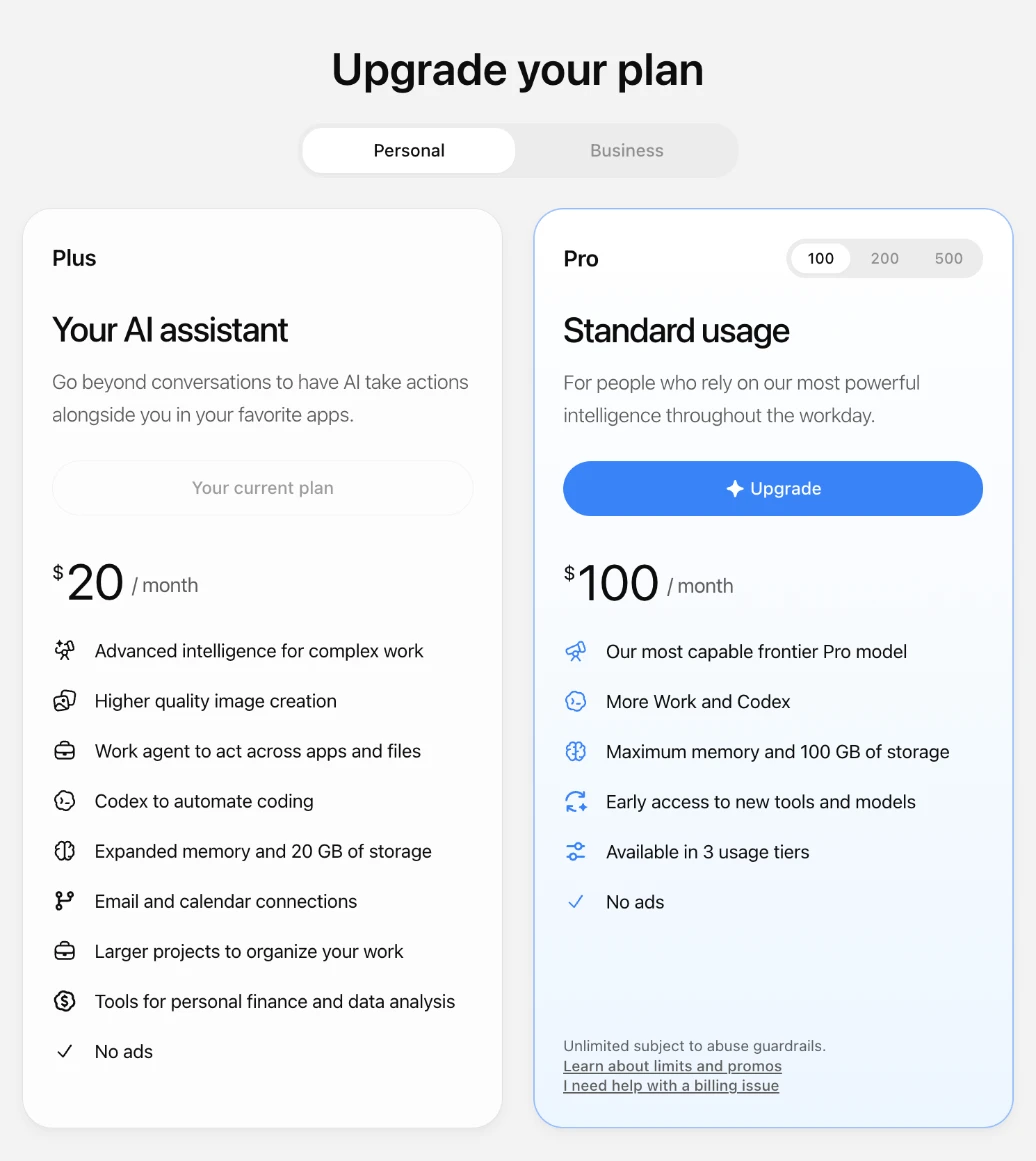
The total is the plan price plus our 5% fee, as one number: ChatGPT Plus for one month is $21.00, paid in crypto.
- It is monthly. Each renewal is a new order with us.
- Our card stays on your subscription until you change it in your ChatGPT billing settings.

Delivery is usually within 2 hours of payment confirmation, between 09:00 and 21:00 UTC, and at most 24 hours. If we can't complete the payment for your plan, we refund the full amount you paid, in the same coin, minus only the network fee of the refund transfer. More on how it works and in the FAQ.
What paying looks like
Screens from our checkout: an example ChatGPT Plus order paid in USDT. The address is blurred here; yours appears in your invoice.
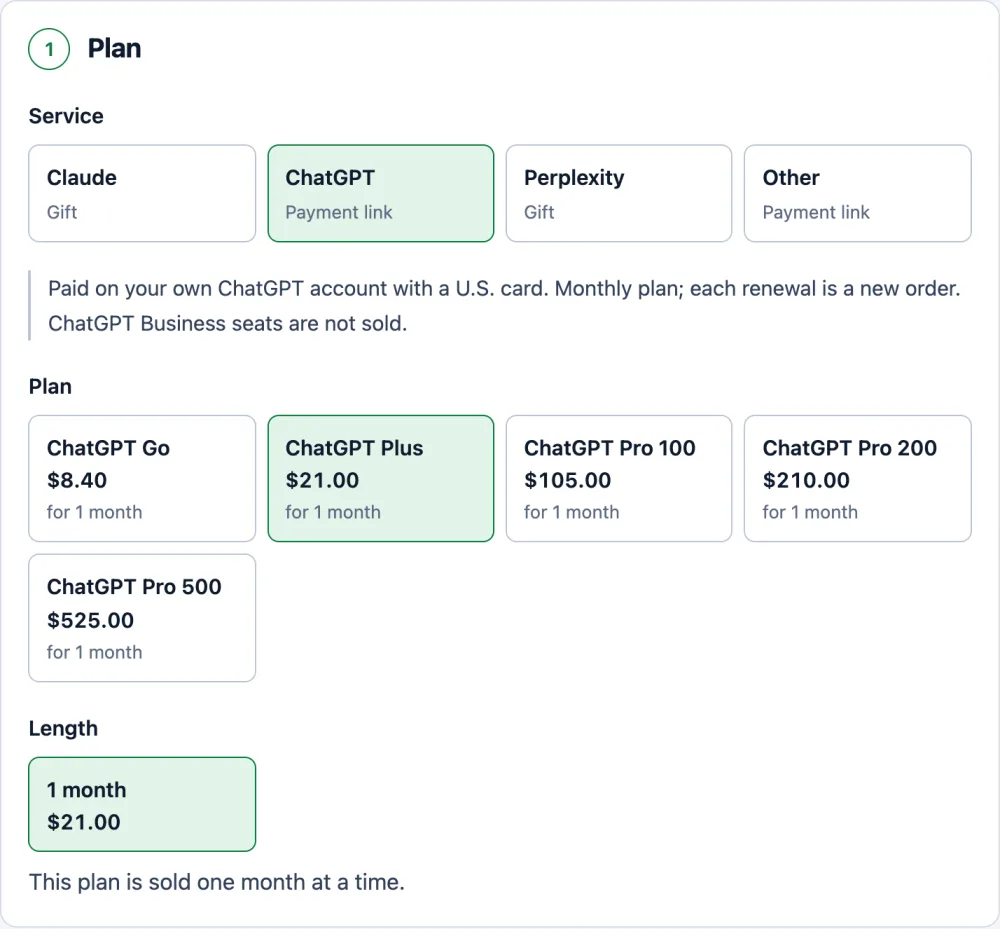
Pick the plan. The price already includes our 5% fee. 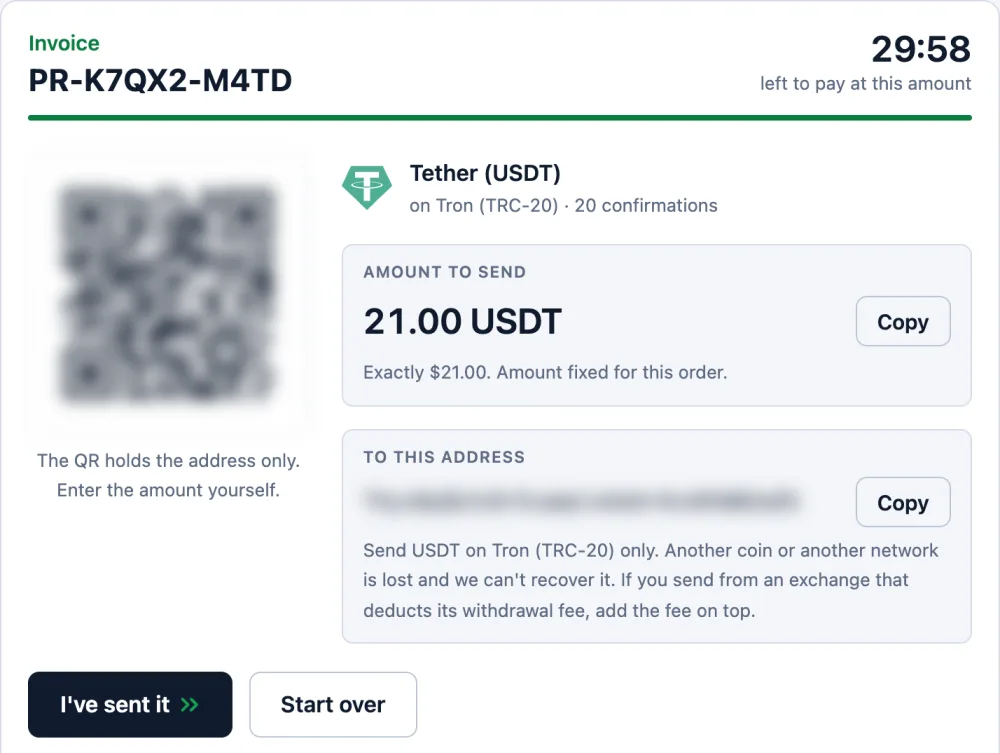
One exact amount and one address, held for 30 minutes. 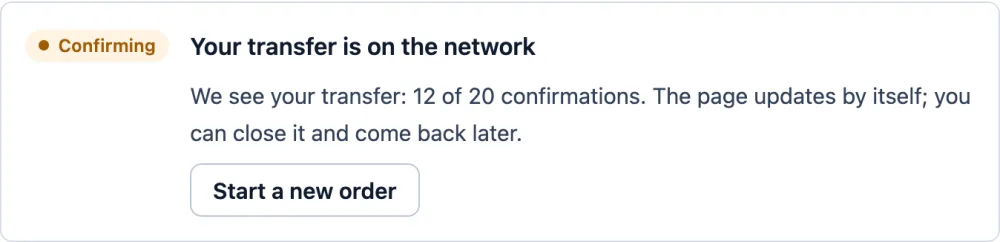
Once you send, the page shows your transfer and counts the confirmations. 
Confirmed: the order is paid and we pay your plan. We email you at this step.
ChatGPT Plus paid for you
We pay your paid Plus checkout link with a U.S. card. No password. Refund if we can’t pay (minus the network fee).
OrderQuestions
Was I charged when the free trial said Payment was not approved?
The trial shows nothing due today, and one forum user reported that no charge was attempted on any of the three methods they tried. If you see a pending amount in your bank or UPI app, ask your bank about it and mention it in your support case.
Will the free trial work if I try again later?
Sometimes. Forum threads from June and July 2026 describe failures lasting a week or more, and OpenAI has not published a fix. Try the free fixes above once each, then wait for your support case instead of retrying many times.
Can you start the free Plus trial for me?
No. The trial renews onto the card that started it, so it would renew onto our card. We pay only the paid Plus checkout.
Does a VPN help with the free trial?
No. OpenAI's help centre says that using ChatGPT from, or paying with a method from, an unsupported country can get an account blocked. A VPN does not fix the payment and can cost you the account.