 Paidrelay
ChatGPT Go renewal payment failed: when the free year ends and ₹399 is due
ChatGPT Go paid for you
Send your checkout link; a U.S. card pays it. One month, no password. Refund if we can't pay (minus the network fee).
OrderIf your ChatGPT Go renewal payment failed, you are probably one of the people who claimed the free year in India. OpenAI's offer gave 12 months of ChatGPT Go to users who enrolled from 4 November 2025, and the plan then renews at the regular price, ₹399 a month. The first paid renewals fall around November 2026. A mandate that worked at ₹0 for a year can fail the first time real money is due. Here is why, and what to do.
What happens when the free 12 months end
The rules come from the offer coverage at launch. Business Today (4 November 2025) reported that a payment method, a credit card or UPI, was needed to redeem the offer, that UPI users might see a ₹1 temporary charge per billing cycle that is refunded, and that the subscription renews monthly at no charge for 12 months. Outlook Money reported that the regular subscription price applies automatically once the free period ends unless you cancel in advance, and that the promotion can be used only once per account.
Two consequences follow:
- Your date is your own. The 12 months run from the day you claimed the offer. Check the date on ChatGPT → Settings → Billing.
- The first real charge uses the mandate you set up a year ago. If that UPI ID, bank account or card has changed since, the renewal fails.

OpenAI has not published what happens to a plan after a failed renewal, so we won't guess how long Go stays active. The Billing page shows whether you are still on Go.
Why a UPI AutoPay or card mandate renewal fails
ChatGPT payments on the web go through Stripe. Stripe's page on India recurring payments (docs.stripe.com/india-recurring-payments) sets out the rules every recurring Indian card or UPI payment follows under the RBI e-mandate directive:
- The mandate is registered once, with extra authentication: 3D Secure for cards, or your UPI PIN for UPI.
- “Customers must be alerted at least 24 hours before charges take place and given the ability to opt out of transactions.” That alert is the pre-debit notification your bank or UPI app sends.
- “Without a mandate for an off-session payment, the payment will be declined.”
- Stripe's decline code
transaction_not_approved, in this context, means the customer has paused permissions to auto-debit, or did not authenticate a payment when that was required.
In practice, the renewal fails for one of these reasons:
- The mandate was paused, revoked or expired. If you removed the OpenAI mandate from your UPI app during the free year, or paused it, ChatGPT can still show Go while there is nothing to charge.
- The pre-debit alert was declined. The alert for ₹399 arrives a day ahead with an option to cancel. Cancelling it, even by accident, makes that renewal fail.
- The mandate's limit is too low. Stripe's page refers to a mandate's maximum amount. If the limit shown for the OpenAI mandate in your UPI app is below the renewal amount, the debit can be refused.
- The account or card behind it changed. A closed bank account, a replaced debit card or an expired credit card all break the mandate.
- Not enough balance on the day.
OpenAI's help article on failed renewals (help.openai.com/en/articles/7242622) points in the same direction: it mentions security checks and the payment method itself, and asks you to check with your bank and confirm card details, billing address and expiry date.
Fixes to try first, in order
- Open the AutoPay or mandates section of your UPI app. Find the OpenAI mandate. If it is paused, resume it. If it is gone or revoked, you will need a new one (step 3).
- Add a fresh payment method in ChatGPT. In Settings → Billing, update the payment method and approve the new mandate with your UPI PIN, or with the OTP or bank-app approval for a card. Keep the ChatGPT page open until it confirms.
- Approve the next pre-debit alert instead of ignoring or cancelling it.
- Try a credit card if UPI keeps failing.
- Clear the browser cache and cookies for chatgpt.com and try once more, as OpenAI's renewal article suggests.
- Contact OpenAI support through the chat on help.openai.com if your bank shows no failed attempt at all.
For a refusal with the exact text “Payment was not approved” on a new UPI checkout, our guide to ChatGPT UPI “Payment was not approved” goes through each case. Card refusals are covered in “Your card has been declined”.
Cancel the plan in ChatGPT → Settings → Billing before your renewal date. If you subscribed through Google Play or the App Store, cancel it in the store instead. Removing only the UPI mandate leaves the plan active with a payment that will fail.
When nothing works: we pay ChatGPT Go with a U.S. card
If no method of yours goes through, Paidrelay can pay it on your own account. Open ChatGPT's upgrade page, choose Go, copy the checkout page's address and send it to us with your order. Our person in the U.S. pays it with a U.S. card. You never give us your password.
Your total is the plan price plus our 5% fee, shown as one number: ChatGPT Go for one month is $8.40, paid in crypto, for example USDT. Paying in crypto explains coins and networks.
- The price. Our total is based on the U.S. price of Go. A checkout opened from an Indian account may show ₹399. If your checkout page shows a different amount, write to us in the chat on this site or at [email protected] before ordering. If your own card or UPI works, paying ₹399 yourself costs less than our total.
- A plan that still shows Go. If ChatGPT still lists Go as active with a payment due, there may be no new checkout page to send. In that case write to us in the chat before ordering, too.
- No free offers. We do not pay free-trial or ₹0 checkouts: they would renew onto our card. Send a paid checkout only.
- Monthly. Each renewal is a new order with us. Our card stays on your subscription until you change it in your ChatGPT billing settings.
Delivery is usually within 2 hours of payment confirmation, between 09:00 and 21:00 UTC, and at most 24 hours. If we can't complete the payment for your plan, we refund the full amount you paid, in the same coin, minus only the network fee of the refund transfer. The whole order is described in how it works and in paying ChatGPT with USDT.
What paying looks like
Screens from our checkout: an example ChatGPT Plus order paid in USDT. The address is blurred here; yours appears in your invoice.
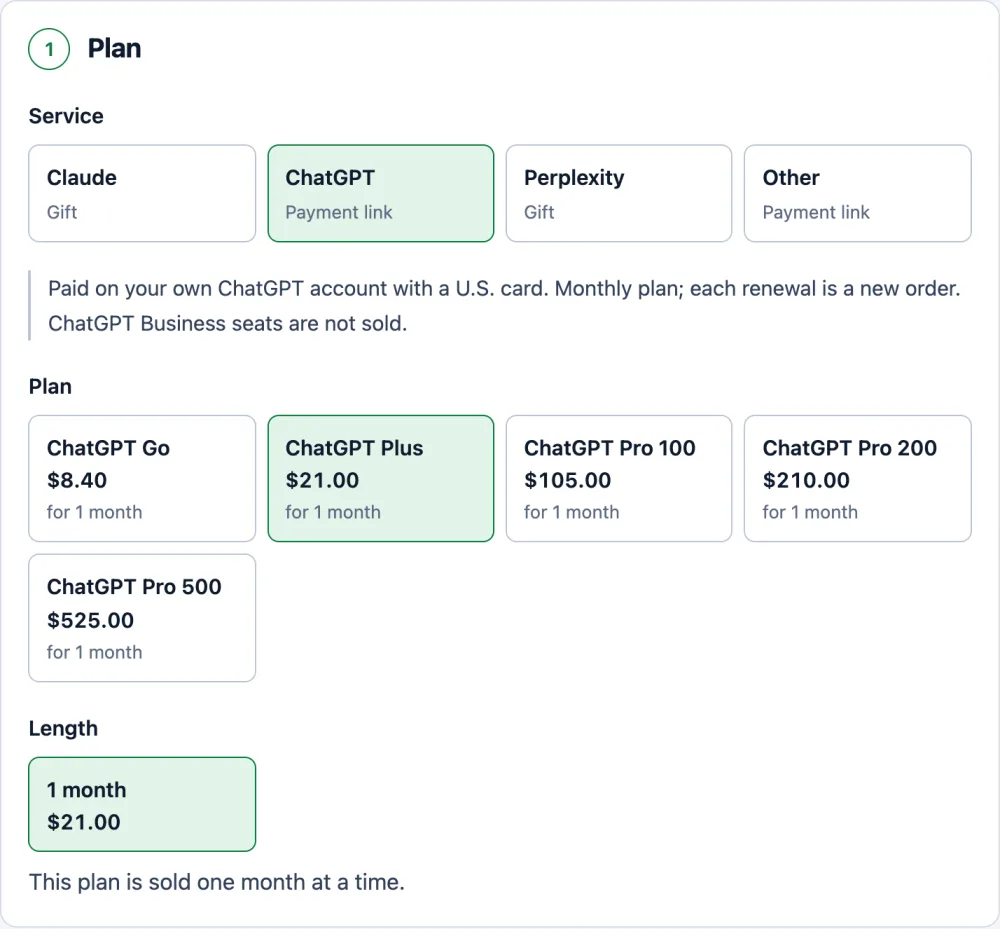
Pick the plan. The price already includes our 5% fee. 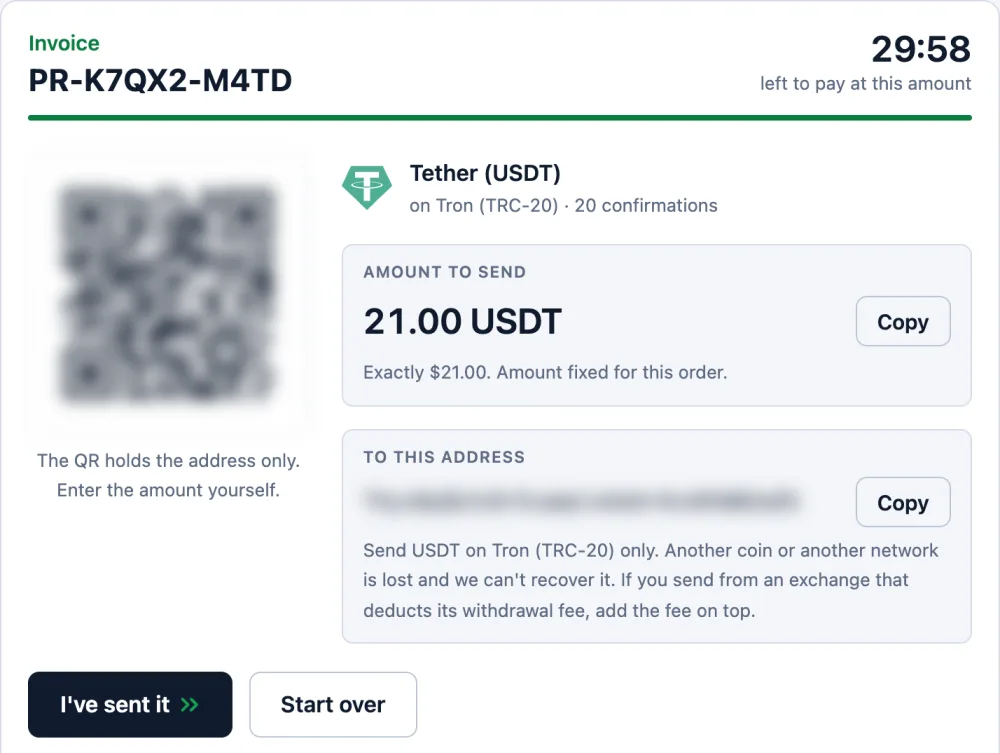
One exact amount and one address, held for 30 minutes. 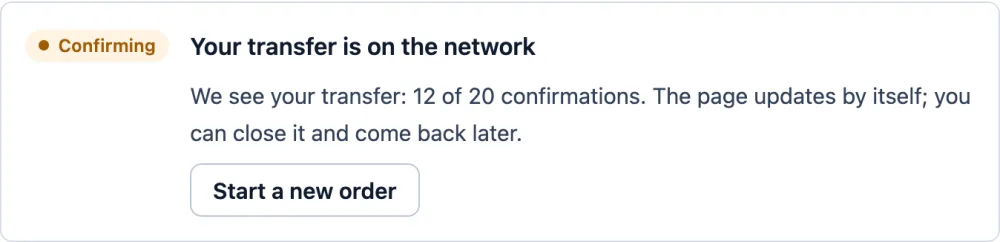
Once you send, the page shows your transfer and counts the confirmations. 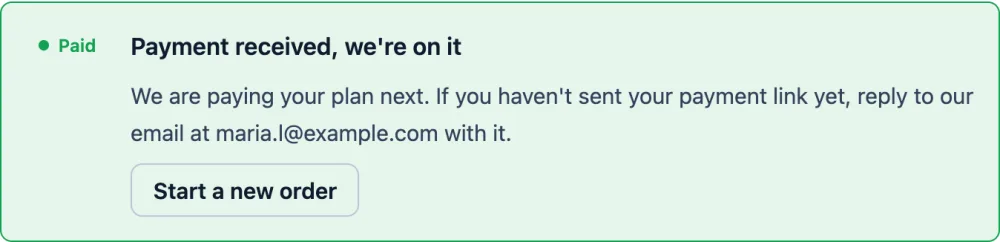
Confirmed: the order is paid and we pay your plan. We email you at this step.
ChatGPT Go paid for you
Send your checkout link; a U.S. card pays it. One month, no password. Refund if we can't pay (minus the network fee).
OrderQuestions
When does the free ChatGPT Go year end in India?
Twelve months after the day you claimed the offer, which started on 4 November 2025. The earliest renewals fall around November 2026; later claims renew later. Your exact date is on the Billing page in ChatGPT settings.
Why did my ChatGPT Go renewal fail when the free months worked?
During the free year nothing was actually debited. The first ₹399 renewal is the first real charge on the mandate you set up, so a paused, revoked or expired UPI AutoPay mandate, a declined pre-debit alert, a low mandate limit or a changed bank account or card makes it fail.
How do I stop ChatGPT Go from charging ₹399?
Cancel the plan in ChatGPT settings under Billing before the renewal date, or in Google Play or the App Store if you subscribed there. Removing only the UPI mandate leaves the plan active with a renewal that will fail.
Can Paidrelay pay my ChatGPT Go renewal?
Yes, as a new one-month order: send us the checkout link for Go and our person in the U.S. pays it with a U.S. card. Our total is based on the U.S. price. If your checkout page shows a different amount, or there is no checkout page because Go still shows as active, write to us in the chat before ordering.